Why Minek
One workspace instead of four subscriptions.
Most design projects mean one program to model, another for technical work, another to render and another to lay out the presentation, each with its own export step and its own bill. Minek puts those stages in one application.
Pay once
A perpetual license with 12 months of updates. No subscription and no automatic renewals.
Four modules
Form, Technic, Parametric and Graphic, designed to work together in one app.
Runs on everyday hardware
Every render on this page was made on a minimum-spec PC with integrated graphics. No high-end GPU required.
Offline & local
Work without a connection for weeks at a time; Minek only checks your license briefly about every 10 days. Your projects stay on your computer, not in our cloud.
Who it's for
Made for designers of every kind.
Use the whole suite or only the modules your work needs. Whatever you design, the tools share one workspace.
Architecture & interiors
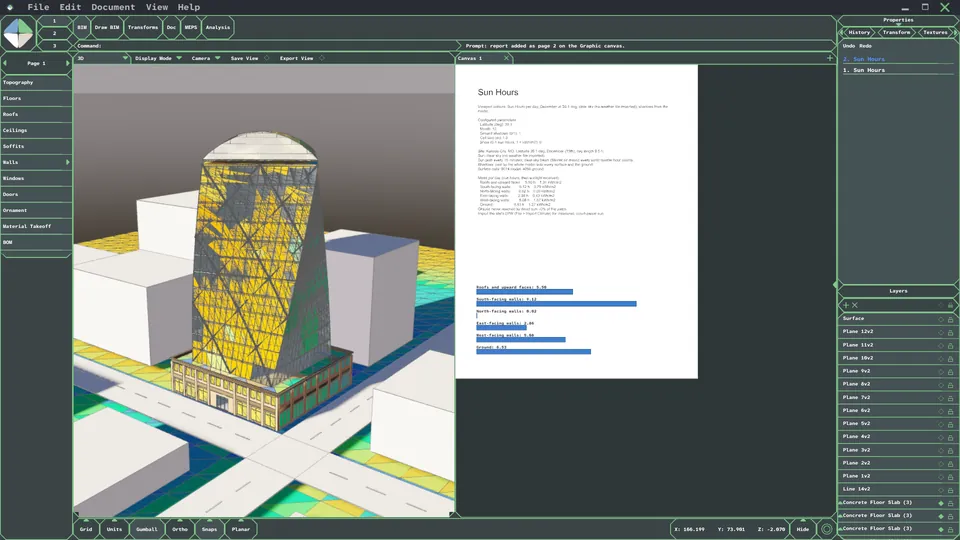
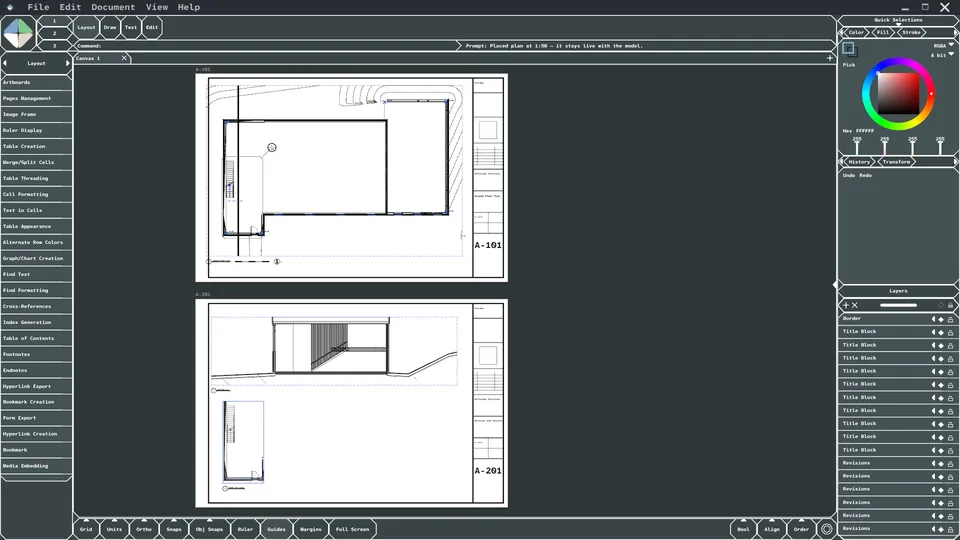
Model the concept, build it out with BIM assemblies, study sun hours, render it and place drawings on sheets.
Product & industrial design
Shape forms with NURBS surfaces, volumes and meshes, give them realistic materials and render presentation shots.
3D art & visualization
Model with meshes, build materials from nodes, save your own node setups and render finished scenes.
Graphic design & print
Create vector and raster artwork and lay out posters and books, with Minek Graphic on its own for $60.
The suite
Four modules. One workspace.
Choose a module to see it in action.
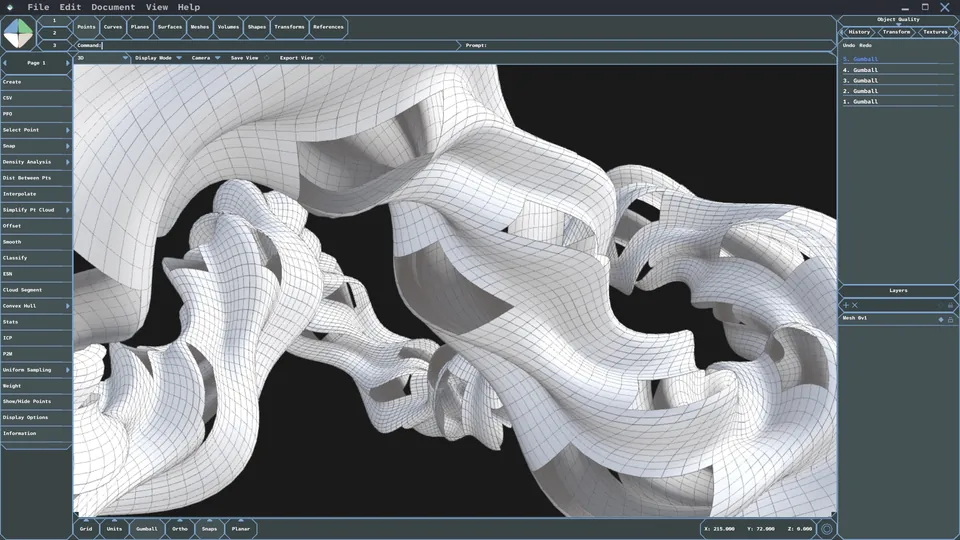
Minek Form
3D modeling with NURBS surfaces, volumes and meshes, from quick concept forms to complex free-form shapes, for buildings, products and art.
- NURBS surfaces: loft, sweep, revolve, network, patch
- Volumes
- Meshes
In development: SubD modeling, a fine NURBS control-point editor and full B-rep solids. Updates released during your 12-month update period are included with your purchase.
Minek Technic
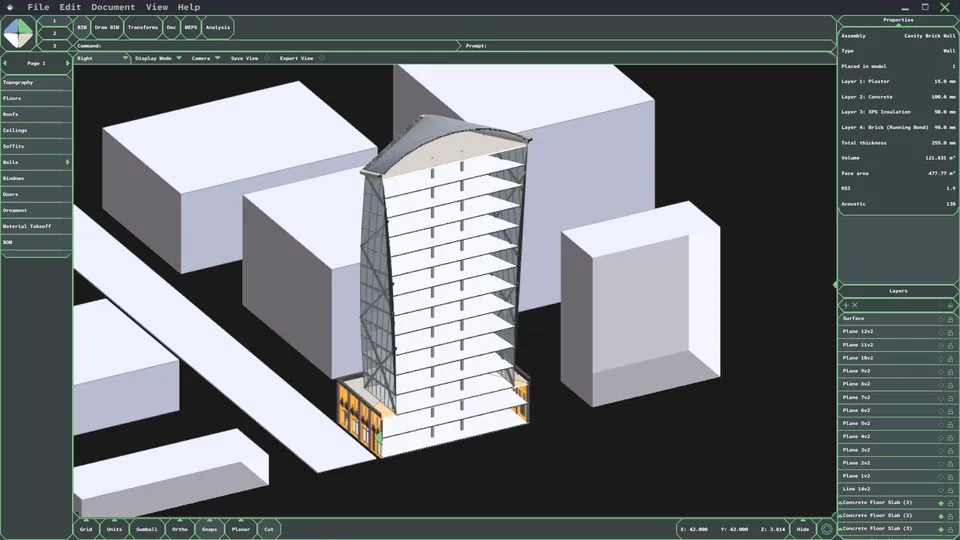
Building information modeling with walls, floors, roofs and assemblies, plus analysis tools such as sun-hour studies.
- BIM
- Assembly editor
- Analysis
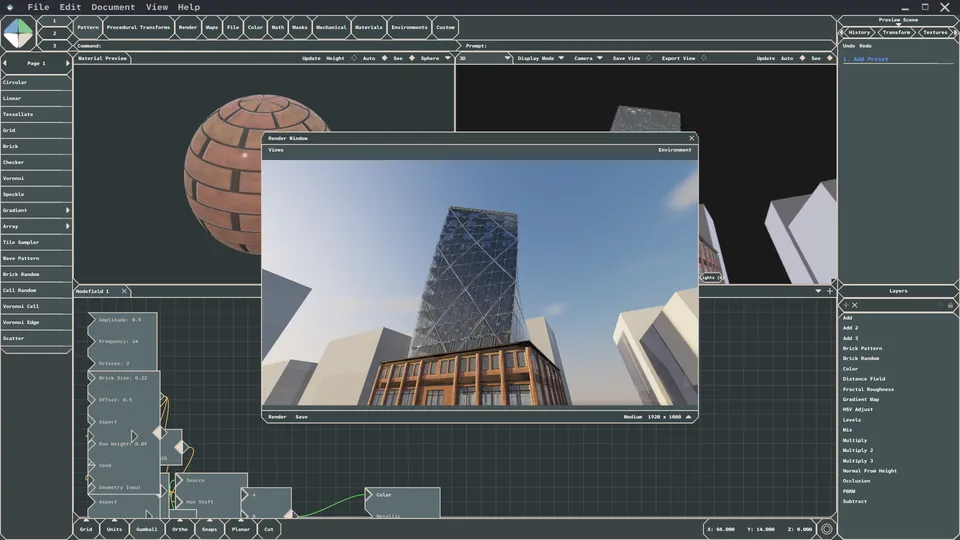
Minek Parametric
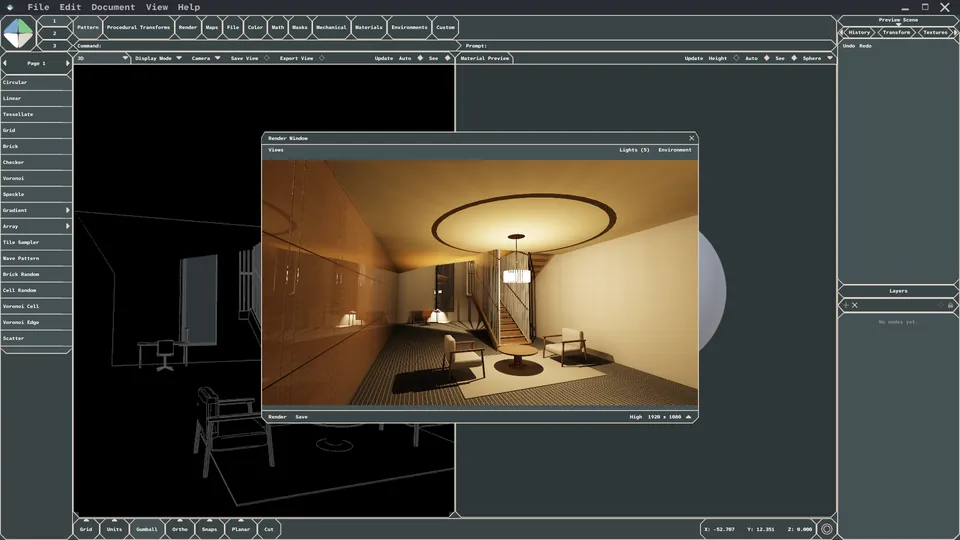
Node-based materials and rendering, from a material on a preview sphere to a finished product shot, scene, interior or exterior.
- Radiant Cascade Rendering
- PBRM Nodes
- Save Custom Node Chunks
Minek Graphic
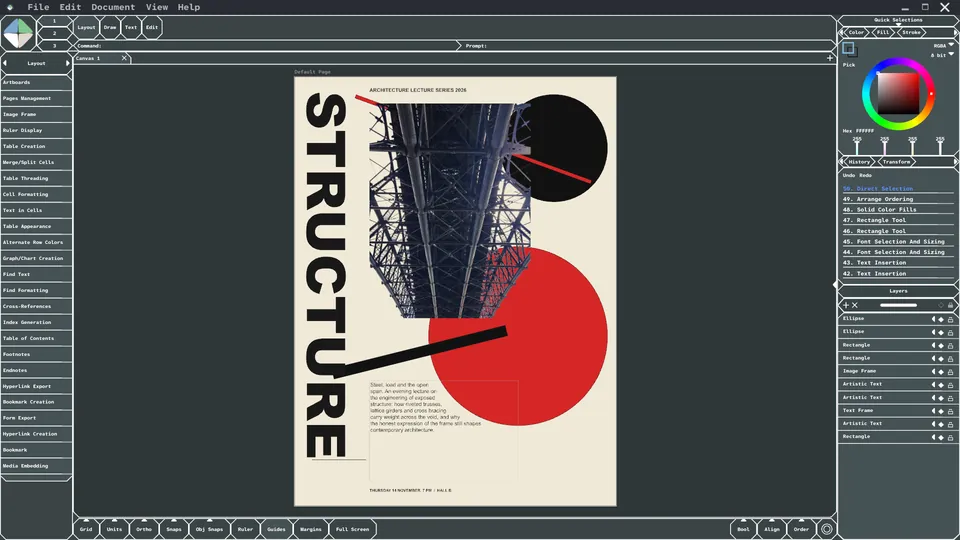
Vector, raster and page layout for posters, books and drawing sheets. Also sold on its own.
- Vector
- Raster
- Layouts
Minek is in perpetual beta. Screenshots show the software in development; features may change. Please buy based on what the software does today.
Workflow
From first form to finished presentation.
Each module covers one stage of the design process, and they are designed to hand work to each other inside the same app. Use every stage, or only the ones your project needs.
Model
Shape concepts with NURBS surfaces, volumes and meshes.
Build & analyze
For buildings, add walls, floors and assemblies, and run studies such as sun hours.
Materialize & render
Build materials with nodes and render your scenes.
Present
Lay out drawings, renders and artwork on sheets, posters, boards and pages.
Designer for designers
Built by someone who got tired of the export loop.
As an architecture grad, I know the pain of moving models from 3D to 2D to rendering. I got tired of asking why I had to pay multiple companies so much money just to design something, and pay even more just to present it well. Minek Suite was built to solve this.
Founder and solo developer, Midac LLC. Designed, built and supported by one person.
Pricing
Buy once. Keep your license.
No subscription. Each purchase includes 12 months of updates; after that, buying more updates is optional.
Minek Graphic
Vector, raster and page layout on its own.
$60 one-time
- Perpetual license
- 12 months of updates included
- Graphic module only
Minek Suite
The full workflow, from modeling to presentation.
$299 one-time
Launch offer: 33% off through October 2. Discount shown at checkout.
- Perpetual license
- 12 months of updates included
- Form, Technic, Parametric & Graphic
- Includes everything in Minek Graphic
Payments securely processed by Polar Software, Inc., our Merchant of Record
One-time purchase. No free trial. All sales are final except as described in our Refund Policy; refunds are handled by Polar and revoke the license. By purchasing, you agree to our Terms of Service, EULA, and Refund Policy. Prices in USD; applicable taxes are calculated at checkout.
Minimum system requirements
- Operating system
- Windows 10 or Windows 11 (64-bit)
- Processor
- Quad-core AMD or Intel processor (2018 or newer)
- Memory
- 16 GB RAM
- Graphics
- Integrated graphics with 2 GB shared memory. No dedicated graphics card required; a dedicated NVIDIA or AMD GPU may render faster.
- Storage
- 2 GB available space on an SSD
- Internet
- Required to activate, then for a brief license check about every 10 days. Works offline in between, for up to about 44 days.
- Installation
- Windows may show a “Windows protected your PC” notice the first time you run the installer. Here’s why.
Every screenshot and render on this page was made on a computer that matches these minimum requirements. Not available for macOS or Linux. Performance depends on project size and complexity; meeting the minimum requirements does not guarantee a particular level of performance.
FAQ
Questions before you buy
Is this a subscription? Can I keep the software if I stop paying?
No, it's a one-time purchase, and the license is yours to keep. When you purchase Minek Suite or Minek Graphic, you get a perpetual license to the software as it exists at purchase, plus any updates released in the following 12 months. After that, if you want newer updates, you can buy another 12 months of updates or an upgrade. You're never charged automatically, and if you don't buy more updates, you keep using the versions you already have. A refunded purchase revokes the license; see our Refund Policy.
Do I need to be an architect to use Minek?
No. Minek was started by an architecture grad, and the Technic module is built for buildings, but the suite is for anyone who designs. Product and industrial designers use Form and Parametric to model and render, 3D artists use meshes and node-based materials, and graphic designers can buy Minek Graphic on its own for vector, raster and page layout work.
What does "perpetual beta" mean?
Minek is under continuous development. You get the software as it is on the day you buy it, plus any updates released during your 12-month update period. Features shown on this site, in videos or on social media may be experimental and may change, so please buy based on what the software does today.
Is there a free trial or a refund?
There is no free trial. All sales are final, except in the limited cases listed in our Refund Policy, such as duplicate charges or a license key that never arrives. Refunds are handled by Polar, our Merchant of Record, and a refunded license is revoked.
Which computers does it run on?
Minek runs on Windows 10 or Windows 11 (64-bit). It is not available for macOS or Linux. Please check the minimum system requirements before purchasing, because incompatibility is not grounds for a refund.
Why does Windows show a warning when I install Minek?
Minek is built and supported by one independent developer, and it’s brand new. Windows SmartScreen shows a blue “Windows protected your PC” screen for new apps that haven’t been installed by many people yet. Large software companies build that recognition over years and millions of downloads. The notice means Windows doesn’t recognize Minek yet, not that it found a problem.
To continue: click More info, check that the file is the installer from your Minek purchase email, then click Run anyway (see the install guide). Windows shows this less and less as more people install Minek, so early customers are helping it get there. If anything looks wrong, email info@mineksuite.com and I’ll personally help.
Do I need to be online?
You need an internet connection to activate your license. After that, Minek works offline. When you’re online it checks your license with Polar about every 10 days, sending only your license key and an anonymized machine ID, never your files. If it can’t complete a check for about 44 days, it will ask you to connect before you can keep working. Your project files always stay on your own computer.
How many computers can I use it on?
Each license key activates Minek on one computer. Moving to a new computer? Email info@mineksuite.com and we’ll release the old activation. Please don’t share your key; see the EULA.
Can I use it for client and commercial work?
Yes. You may use Minek and the work you create with it for personal or commercial purposes, and you own the designs you create. Analysis tools are for design purposes and don't replace professional engineering or code review; see the EULA.
Who processes my payment?
Polar Software, Inc. is our Merchant of Record. Polar handles checkout, payment, sales tax or VAT, invoices and refunds. You'll receive your license key and download by email after purchase.
Stop exporting between four programs.
Get the full Minek workflow for a one-time price.